Reduce Social Media Overwhelm with CoSchedule
Social media overwhelm––what does it mean?
To me, it means understanding that for your business to succeed this year, you should have an effective presence on at least one social media network. My favorite is LinkedIn.
Knowing that these strategies can help you generate more leads. Seeing everyone else benefiting from using social media, but feeling stuck because you feel like you just don’t have enough time to do the same.
We’re going to show you a tool that lets you put your social media efforts on autopilot, so you can reap the benefits without having to worry about giving up more of your time to manage your different profiles.
CoSchedule is perfect for the busy entrepreneur who realizes the importance of staying active on their blog and social media.
Check out this step-by-step guide to using CoSchedule to take advantage of what social media can do for your business without all the overwhelm.
What does CoSchedule do?
CoSchedule is a social media and content editorial calendar that allows you to work collaboratively with your team and see what’s ahead for your marketing efforts all in one place.
In CoSchedule, you can manage, create and publish your blogs and content to all your social media platforms content in one place, all in one calendar. Its drag and drop function also lets you easily reschedule your content.
If you use WordPress, you can also create blog inside and schedule them directly to your website from within the CoSchedule app and see this content alongside your social media schedule to ensure that your marketing is cohesive and coherent.
Additional features of CoSchedule
- A headline analyzer which tells you how well your headline is likely to do both in terms of SEO and social shares …
- Social sharing stats, so that you can see which types of content tend to perform the best ..
- Google Calendar integration, so that you can view upcoming posts and content within a tool that you already use ..
- Bit.ly integration, so that you can track link clicks from specific posts, and …
- Google Analytics integration, so that you can track the behavior of those who land on your site through your social media posts, and address any glaring issues you may come across (like high bounce rates).
Why we use CoSchedule
CoSchedule is a huge time saver while making it easy to master social media. Its ReQueue function lets you recycle social media posts if you have empty slots in your calendar that need filling.
Simply put, CoSchedule lets me put my social media efforts on autopilot. Of course I have to go back and tweak my settings once in awhile, but it’s worlds better than logging into each individual account and posting every day, and then trying to scramble to put something new together when there’s a hole in my social media calendar.
Who else should be using CoSchedule
If you are a solopreneur who does all/most of your own marketing you should switch to CoSchedule.
If you have your own in house marketing person or team, you don’t need to be paying people to manually plan and post your social media content. You should have your team learn how to use CoSchedule.
CoSchedule helps you regularly promote the content that you’ve worked so hard to write and publish on your website, because “if you build it, they will come” is a flawed principle.
Here’s how to start using CoSchedule to put your social media efforts on autopilot.
How to create your first social media campaign with CoSchedule
-
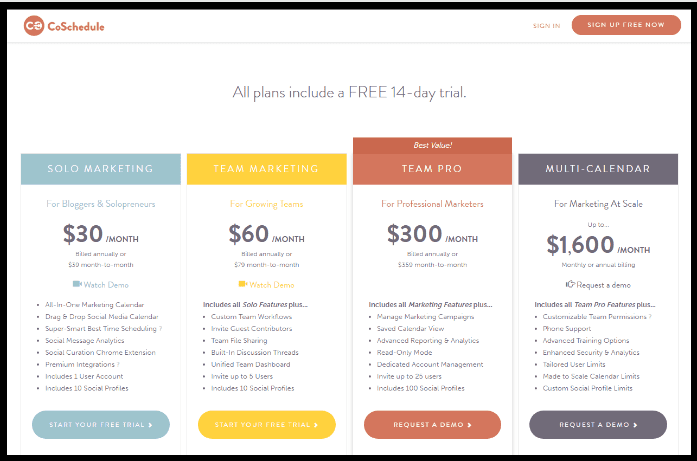
Start your 14-day free trial at CoSchedule
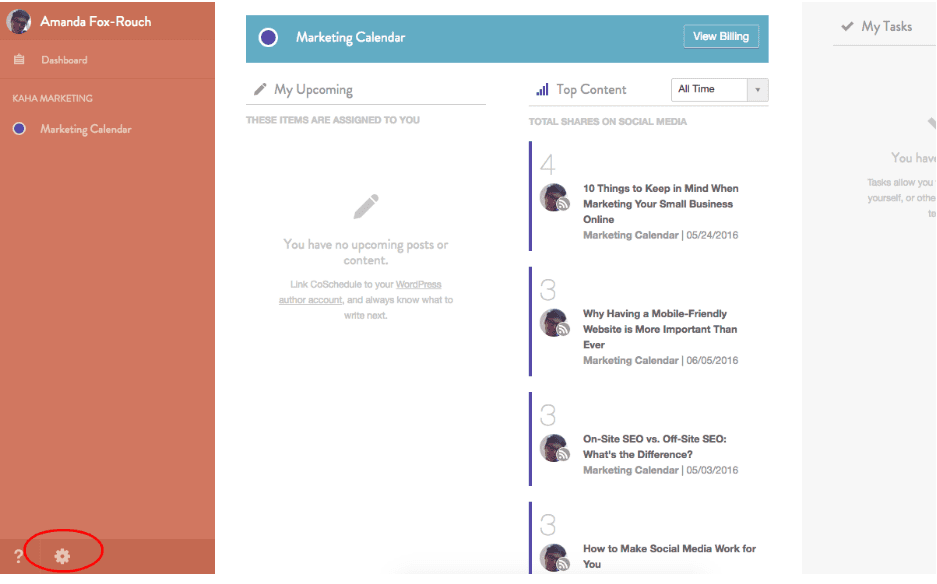
2. Connect your social media accounts by clicking the gear button in the lower left-hand corner of your screen, and then selecting the name of your account.
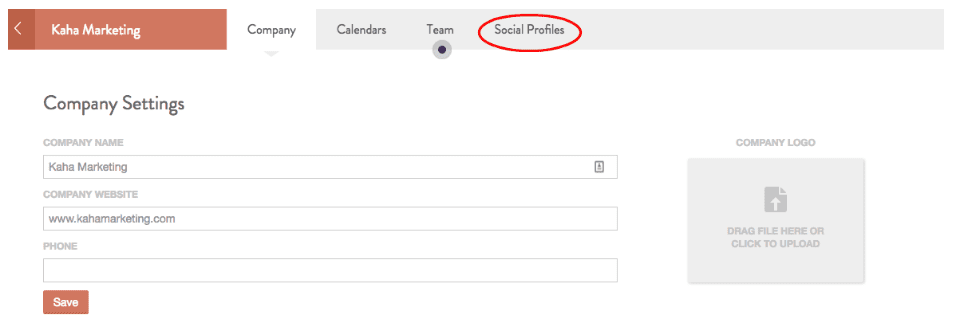
3. On the next screen, click “Social Profiles”.
4. Then, click “Connect a Social Profile”. You will have to go through a brief verification process to connect your profiles.

Note that because of Instagram’s restrictions on third-party apps, CoSchedule will not actually post to Instagram for you but will remind you to post at the specified times.5. To publish a social media campaign, navigate back to your Marketing Calendar.
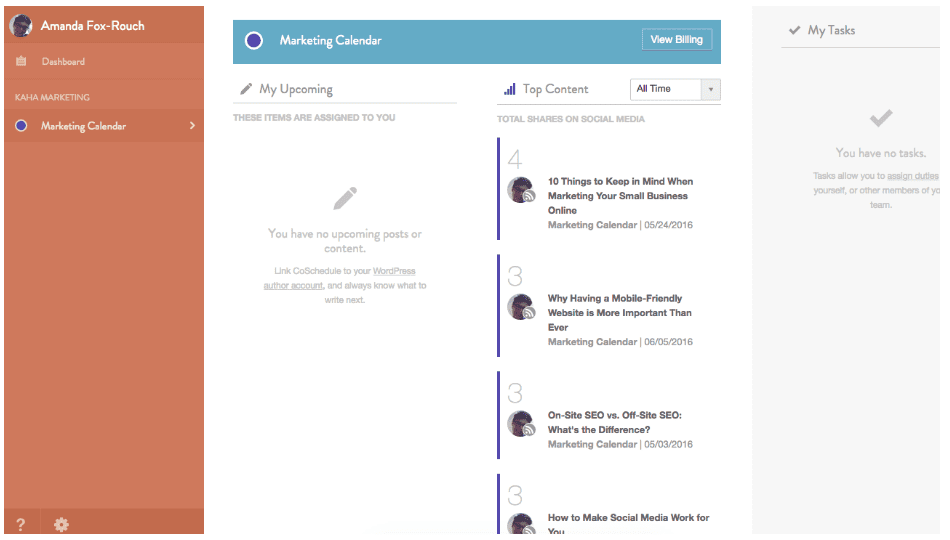
6. Click the + button that appears when you hover over a date on the calendar.
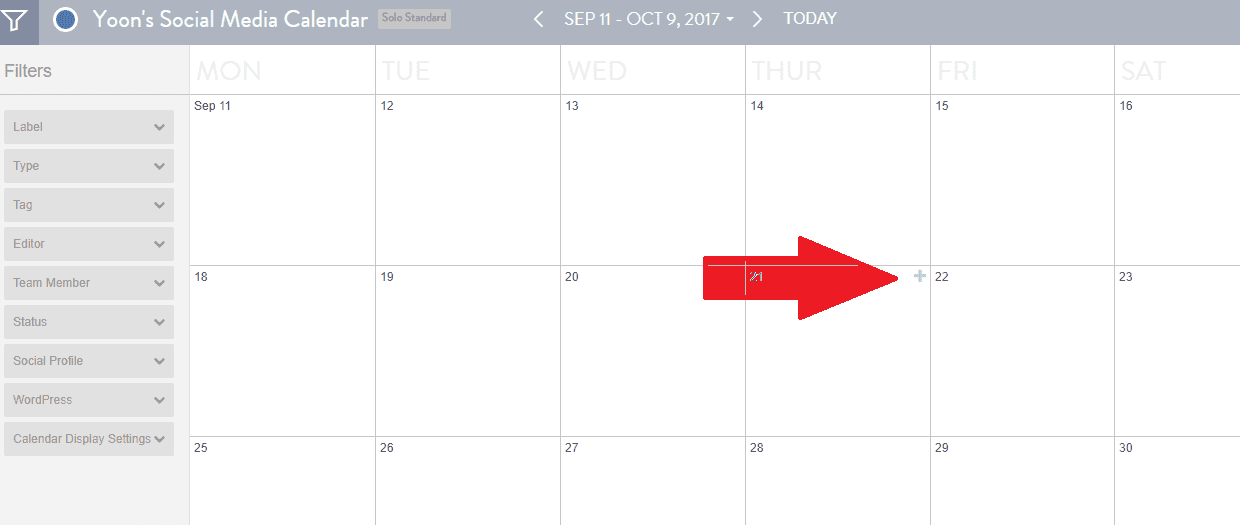
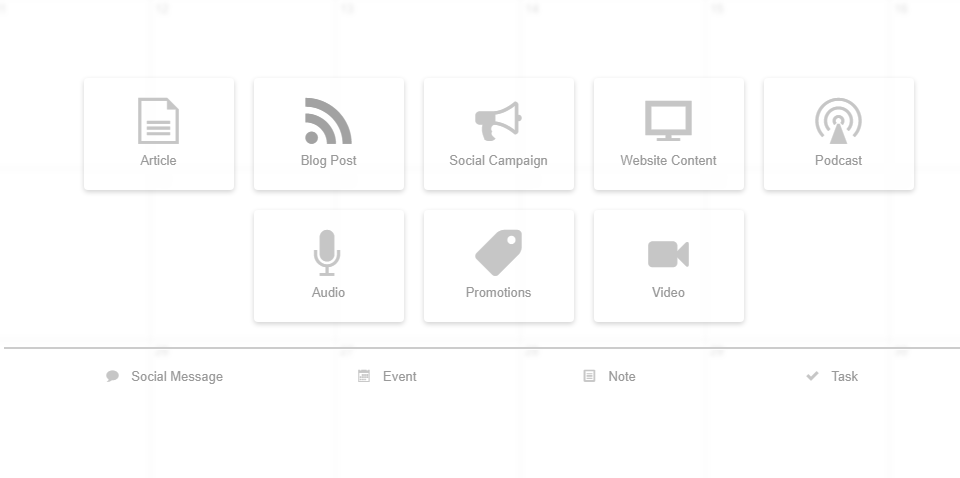
7. Click the option applicable to your campaign – for this tutorial, we’ll choose Social Media Campaign to promote a blog we recently published.
8. The Social Media Campaign tool will help you automatically publish messages on your preferred social media channels at specified intervals such as the day of publication, three days after, one week after, and one month after the publish date. Within this module, click the plus signs to create a new message at the specified interval. This is the best way to promote a new lead magnet or piece of content within CoSchedule.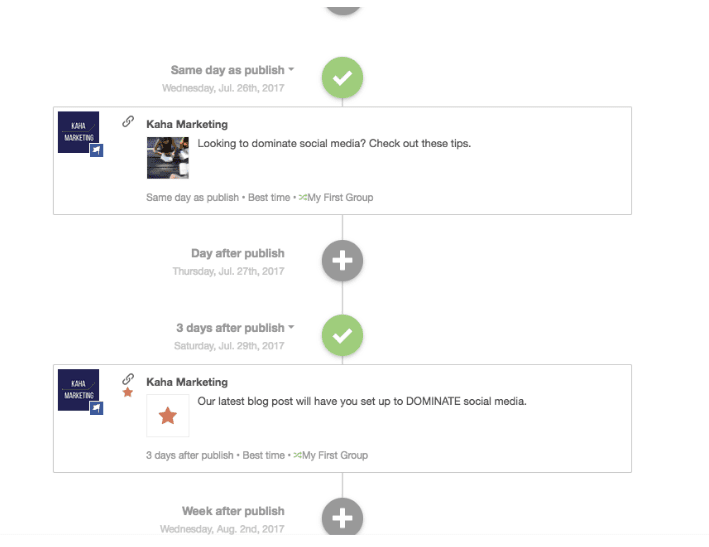
9. Add Title and Create your own labels.
Creating color coded labels can help you distinguish which type of content when you view your calendar.
 
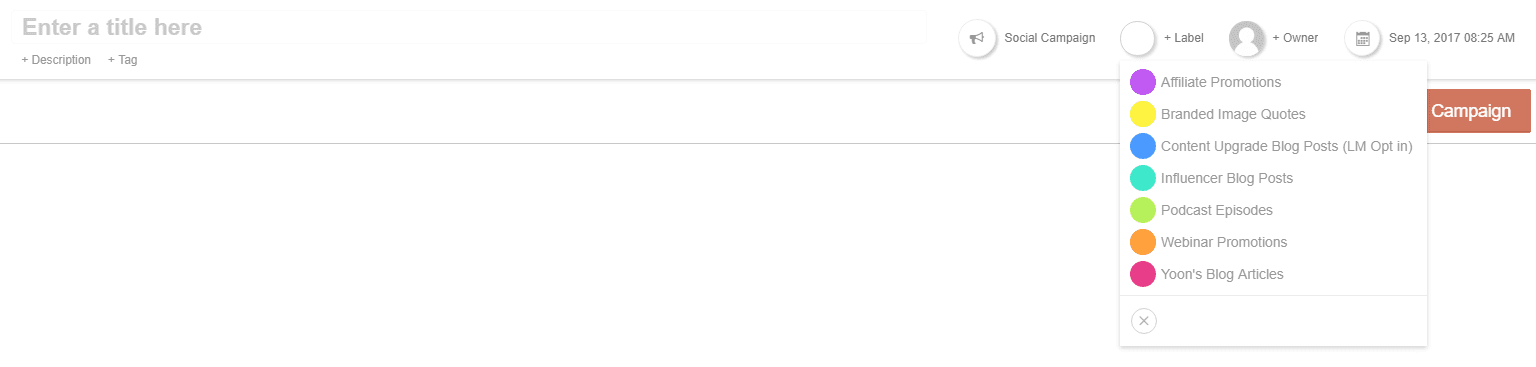
10. Set your custom date and time. You can choose “Best time” to publish the content on the peak time of the day when your subscribers are most active on the given social media network.
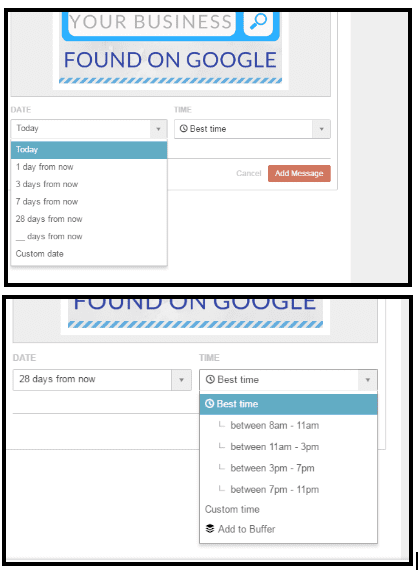
11. Click “Add Message” to add it to your queue.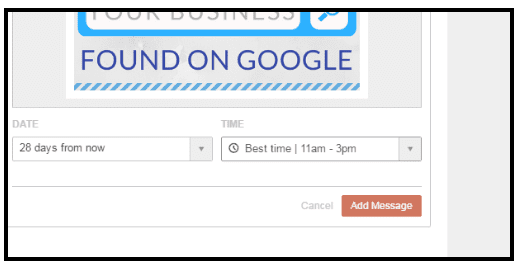
A preview of how your post will appear on the selected social media network will be available at the bottom.
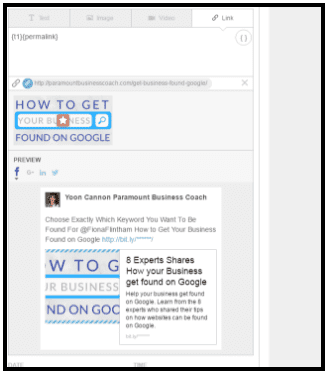
This is how your social media campaign messages will look when populated.
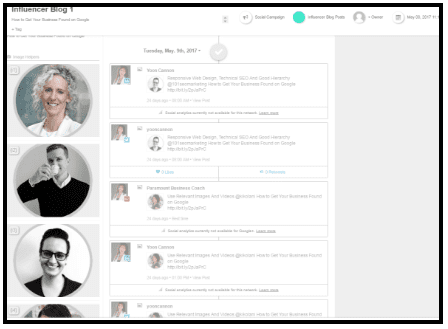
This is how your calendar will look when populated, giving you an overarching view of what’s going on across your social media channels over the next few weeks.
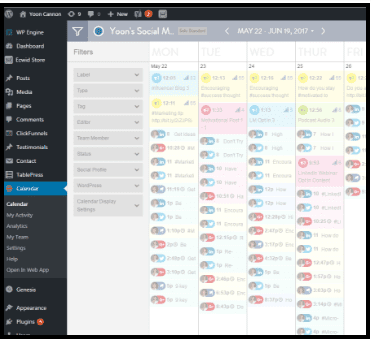
12. Follow up with your efforts using CoSchedule’s Analytics dashboard. View your top content report, social engagement report, and more.
Using social helpers to streamline your posts
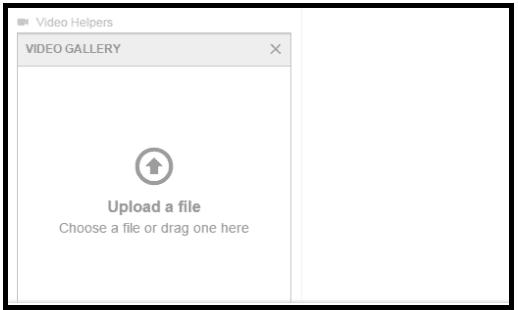
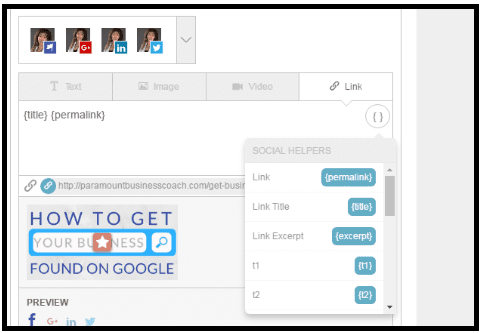
Helpers are custom social media templates you can use. They can automatically fill in certain aspects of the content that you’re sharing, so you don’t have to type it out every time. You can create your own custom text, image, and video helpers for content that you reuse regularly and would like to easily insert into your content.
- To create a helper, click the “New Helper” button within your social media publishing module.
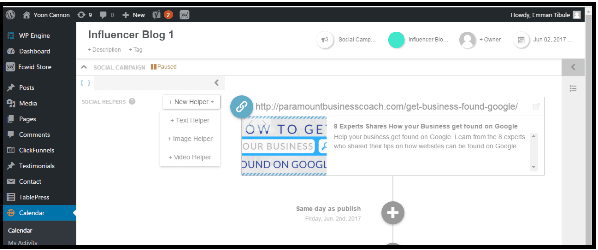
2. Click “Text Helper” to create a section of text that you can easily recycle.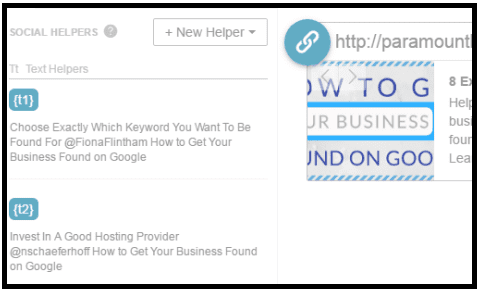
3. Fill out image helpers for images that you regularly use within your social media posts.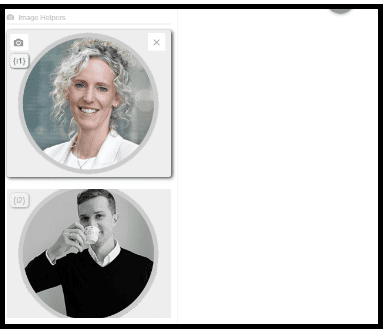 4. Use video helpers for the same, but with video.
Using the ReQueue function to fill holes in your content calendar automatically
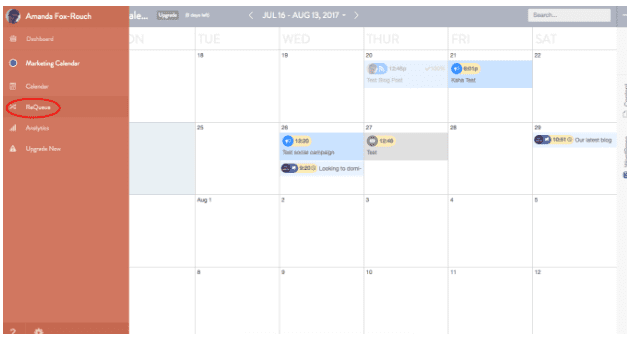
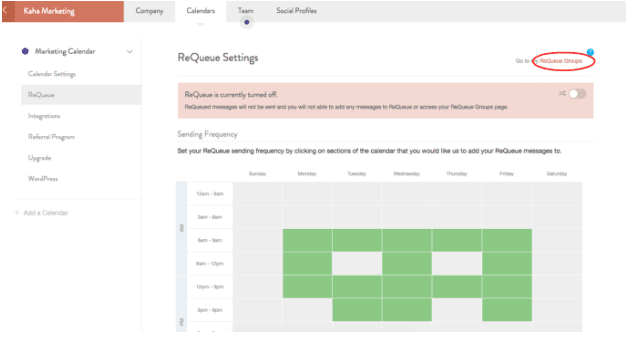
Step 1: From your Marketing Calendar view, click the ReQueue button in the sidebar.
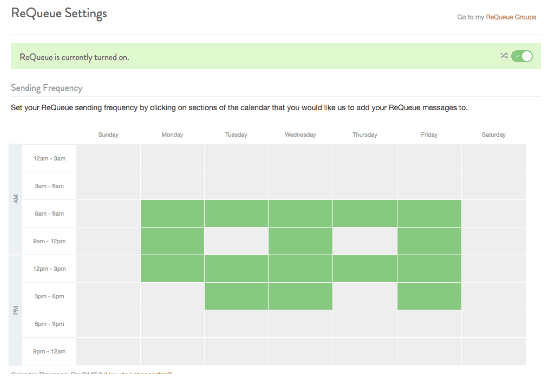
Step 2: Select the days of the week and times when you would like your ReQueue messages to populate your feeds.
Step 3: Click the “ReQueue Groups” button in the upper right-hand corner of the page.
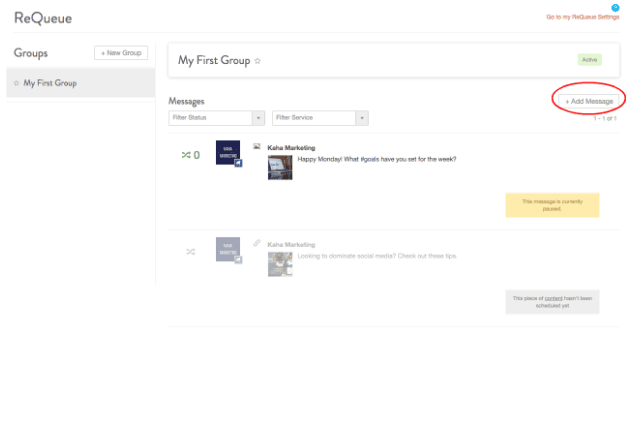
Step 4: Click “Add Message” to create and save your ReQueue messages. You’ll never miss a social media post again!
In conclusion, it’s worth investing the initial time to learn how to use this new tool. Start using CoSchedule to help you promote your content more consistently, so you can build a bigger presence on social media.
QUESTION: Share your question or best tip that helps you grow your social media presence without the overwhelm.